



Introduction
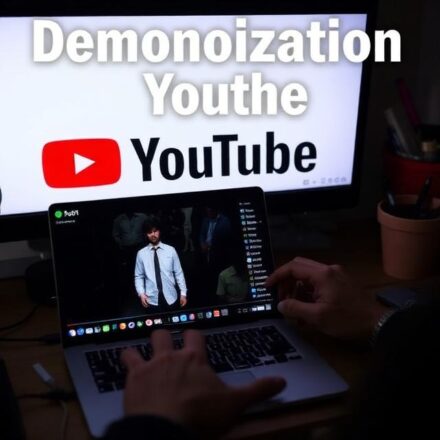
For many creators, YouTube is more than a hobby—it’s a source of income. But there’s one term that sends shivers down every YouTuber’s spine: demonetization. Demonetization on YouTube occurs when a video or channel is restricted from earning money through ads, memberships, or Super Chats. Understanding why it happens and how to prevent it is essential for creators who want to maintain steady revenue and grow their channel. This guide explains everything you need to know about YouTube demonetization, including its causes, effects, and practical tips to stay monetized.What Is Demonetization on YouTube?
Demonetization is when YouTube removes or limits the ability of a video or channel to earn revenue. This can happen automatically through algorithms or manually through human review. Key points about demonetization:- It affects ad revenue, including display ads, overlay ads, and sponsored videos.
- It may apply to individual videos or the entire channel.
- It does not remove videos, but it significantly impacts earnings.
Why Does YouTube Demonetize Videos?
YouTube has strict guidelines to maintain advertiser-friendly content. Videos may be demonetized for reasons such as:1. Violating Community Guidelines
Content that violates rules like hate speech, harassment, or violence may be demonetized or removed.2. Non-Advertiser-Friendly Content
Even if a video follows community guidelines, it may be limited for:- Profanity or vulgar language
- Controversial or sensitive topics
- Adult content
- Dangerous or harmful acts
3. Copyright Issues
Videos with copyrighted music, clips, or images may lose monetization if they trigger Content ID claims.4. Misleading or Spammy Content
Videos that mislead viewers, include clickbait, or spam links can also be demonetized.5. Reused or Low-Quality Content
Content that is largely copied from other creators or lacks original commentary may be demonetized.How Demonetization Affects YouTubers
- Loss of ad revenue
- Reduced exposure due to limited monetization
- Difficulty attracting sponsorships
- Potential strikes if combined with guideline violations
How to Check If a Video Is Demonetized
YouTube provides tools to help creators see the monetization status:- YouTube Studio Dashboard
- Check the monetization column for each video.
- Status may show: Monetized, Limited or No Ads, or Not Monetized.
- Manual Review Request
- If a video is demonetized, creators can request a manual review to reassess the content.
Tips to Avoid Demonetization on YouTube
1. Follow Advertiser-Friendly Guidelines
Avoid topics, words, and visuals that may trigger demonetization.2. Use Original Content
Focus on unique ideas, commentary, or educational content rather than copying others’ work.3. Moderate Language and Visuals
- Avoid excessive swearing
- Limit graphic violence or sensitive content
- Keep thumbnails appropriate
4. Avoid Misleading Metadata
Titles, descriptions, and tags should accurately reflect the video content.5. Stay Informed
YouTube frequently updates policies, so regularly check their Creator Guidelines and Monetization Rules.What to Do If Your Video Is Demonetized
- Review the reason: YouTube provides a reason for demonetization.
- Edit content: Make changes to comply with advertiser-friendly guidelines.
- Request manual review: You can appeal if you believe your video meets the guidelines.
- Diversify revenue: Use memberships, merchandise, or affiliate marketing to reduce reliance on ad revenue.